

When Palworld exploded into Early Access, it captured the collective imagination of millions with its wild blend of creature collecting, base automation, and third-person survival shooting. However, handheld performance on Valve’s Steam Deck was hit-or-miss: severe frame drops, visual pop-in, heavy battery drain, and memory leaks plagued longer play sessions.
With the official release of Palworld 1.0, developer Pocketpair delivered an extensive pass of optimisations alongside massive end-game content like the long-awaited World Tree.
So, how does Palworld 1.0 hold up on Valve’s handheld? Here is the full breakdown of performance, ideal in-game settings, and what to expect on the go.
Palworld 1.0?
Early Access players remember Palworld on the Deck as a bumpy ride that often required tweaking system config files or aggressively dropping resolutions down to sub-720p with blurry upscaling.
In 1.0, Pocketpair targeted major underlying bottlenecks:
- Unreal Engine Shader Optimisation: Initial zone loads and dense base environments suffer significantly fewer micro-stutters.
- Improved Memory Management: Reduced risk of out-of-memory crashes during extended multi-hour sessions.
- Better Scalability: Low and Medium graphical presets now scale far more predictably on custom APUs like AMD’s Van Gogh in the Deck.
While it remains a demanding open-world survival game, the full launch build turns what was once an endurance test into a genuinely smooth handheld experience.

Recommended Steam Deck settings
For the best balance between image clarity, steady frame pacing, and battery longevity, avoid maxing out graphics sliders. We recommend targeting either a rock-solid 30 FPS (ideal for battery life) or a 40–45 FPS target on OLED models.
| Setting | Recommended Value | Notes |
|---|---|---|
| Resolution | 1280 x 800 (Native) | Native 800p keeps text sharp on the 7″ screen. |
| Display Mode | Borderless Windowed | Smoother frame delivery and overlay performance. |
| Graphics Preset | Custom (Medium Base) | Standard Low is usable, but Medium keeps Pal textures intact. |
| View Distance | Medium | High causes rendering hitches when flying or riding fast Pals. |
| Shadow Quality | Medium / Low | Massive CPU/GPU saver; drop to Low for extra battery. |
| Grass Details | Medium | Keeps environments alive without thrashing frametimes. |
| Anti-Aliasing | TSR or FXAA | TSR provides cleaner edges; FXAA offers maximum frame headroom. |
| FPS Limit (In-Game) | 30 FPS or Uncapped | Match this with SteamOS System Cap (30 Hz or 40 Hz/80 Hz OLED). |

Real-world performance breakdown
Exploration & combat (35–50 FPS Uncapped)
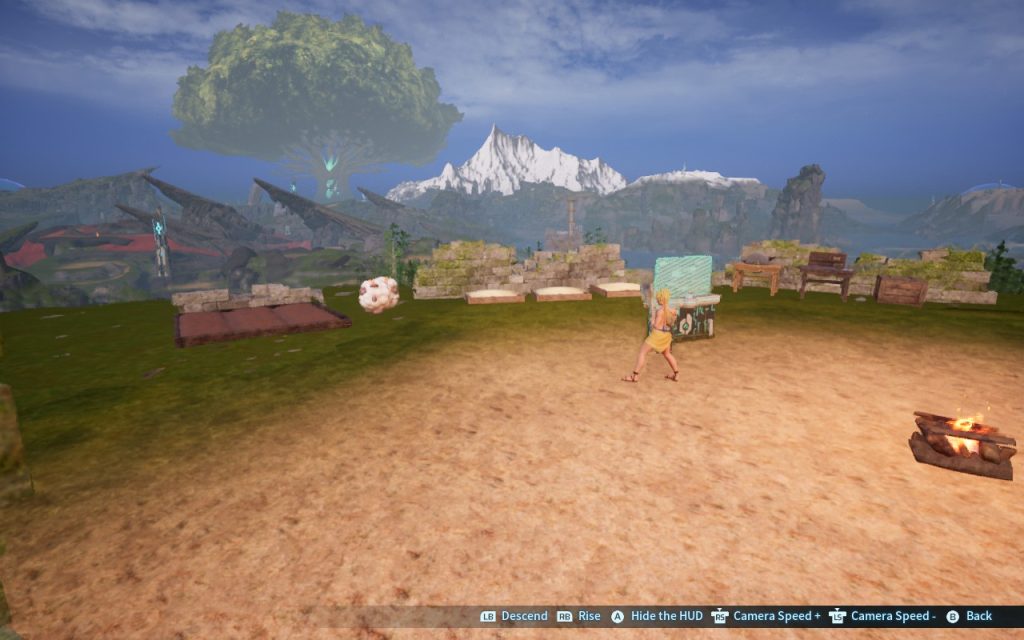
Traversing open biomes, fighting wild Pals, and tackling dungeons yields an average of 38 to 48 FPS on Low/Medium settings. Capping the Deck’s refresh rate to 40 Hz provides a remarkably consistent feel during chaotic skirmishes.
Base operations (28–35 FPS)
Late-game bases crammed with dozens of automated Pals, complex crafting machines, and large builds remain the hardest stress test for the handheld CPU.
You can expect occasional dips into the upper 20s when all Pals are actively pathfinding or working simultaneously. Capping at 30 FPS keeps frame times flat and prevents jarring dips.
Battery life & thermals
- Steam Deck LCD: Expect around 1.5 to 2 hours of runtime at a 30 FPS cap.
- Steam Deck OLED: Expect roughly 2 to 2.5 hours thanks to the more efficient 6nm APU and larger battery.
The internal fans will spin up during heavy base activity, so playing with headphones or adjusting TDP limits down to ~12W is recommended if you want a quieter unit.
Is it worth playing on Steam Deck?
Yes. Version 1.0 turns Palworld from a game you could technically run with heavy compromises into a title that feels right at home on portable hardware.
While massive bases will still challenge the Steam Deck’s mobile processor, the optimisation passes in 1.0 deliver stable frame rates and much clearer visual quality.
If you are looking for an action-packed survival game to play on the couch or on the go, Palworld 1.0 is officially ready for your handheld library. Plus, if you’re like us and held onto your Steam Link, you can get a PC experience in the living room, which works excellently, too!
Want to check out more features like this? Head over to our Opinions section.
This post contains an affiliate link. What does that mean? Well, simply, if you use it to head over to the affiliate’s site and purchase Palworld, we get a small commission. It doesn’t mean you pay any more, just that we get a cut for sending you there. You don’t have to use them, though, but we appreciate it when you do, as it allows us to keep the site running.